5 Steps to Treat Your AI Agent Like a Real Developer
Mar 13, 2026 · 4 min read ·Career & Leadership
You wouldn't hand a new developer a laptop and say "build me a feature" with no context, no requirements, and no way to track their work. Yet that's exactly how most teams use AI coding agents today — open a chat, type a prompt, hope for the best.
The teams getting real value from AI agents aren't writing better prompts. They're applying the same project management discipline they'd use with any developer on their team.
Onboard the Agent Like You Would a New Hire
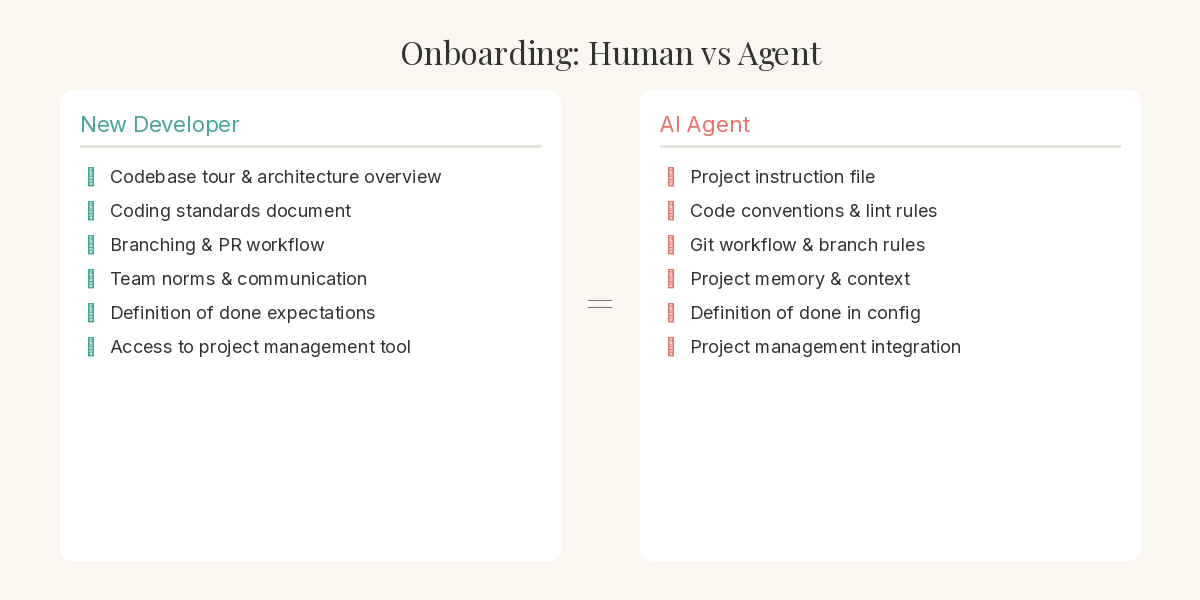
Every new developer gets onboarded. They learn the codebase conventions, the team's way of working, and where to find things. AI agents need the same. Instruction files, project context, and memory systems are the equivalent of your onboarding docs. Set these up once and the agent understands your standards, your branching strategy, and your definition of done before writing a single line of code.
Plan the Work Before You Assign It
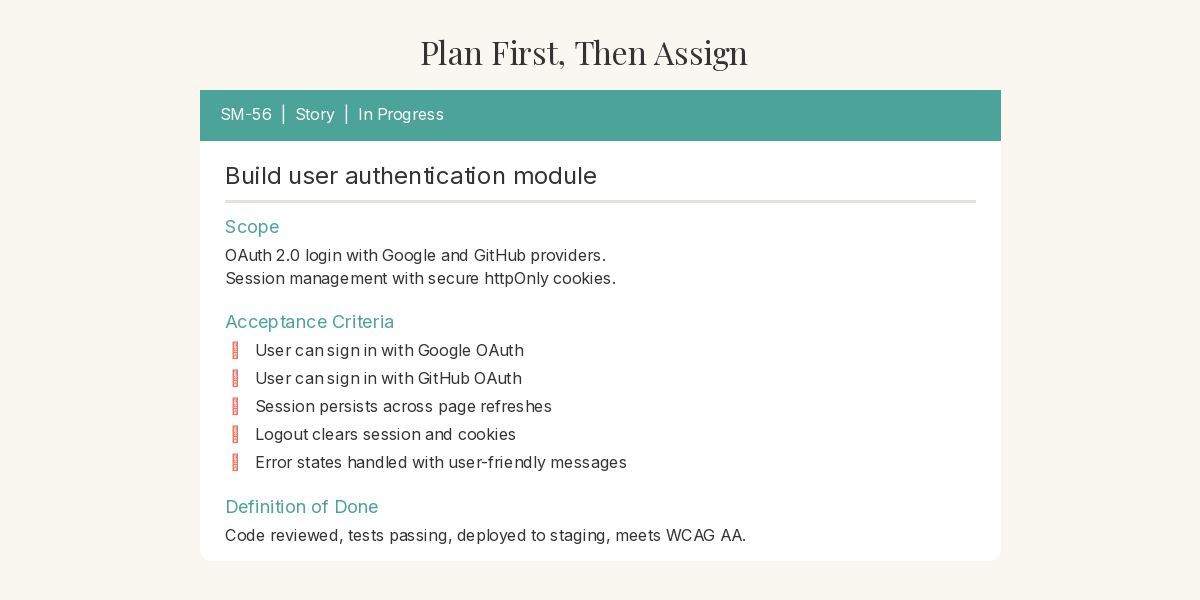
No competent engineering manager lets a developer start coding without a plan. The same applies here. Create the story or task in your project management tool first — with scope, context, and acceptance criteria. This isn't overhead. It's the same discipline that prevents rework and scope creep with human developers. The agent isn't special enough to skip it.
Write Requirements You'd Be Comfortable Handing to a Contractor
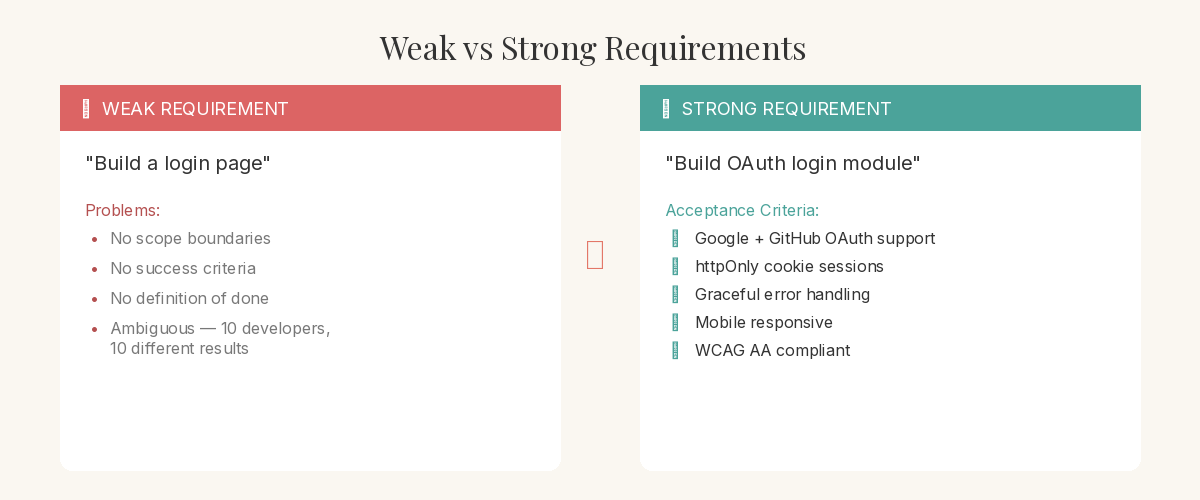
Here's a useful test: if you wouldn't hand your requirements to a contractor and expect them to deliver, they're not ready for an AI agent either. Vague prompts produce vague results — with humans and with AI. Write clear acceptance criteria. Define what done looks like. The agent will read these requirements and develop against them, and the quality of its output is directly proportional to the quality of your input.
Let the Agent Execute Against Requirements, Not Conversation
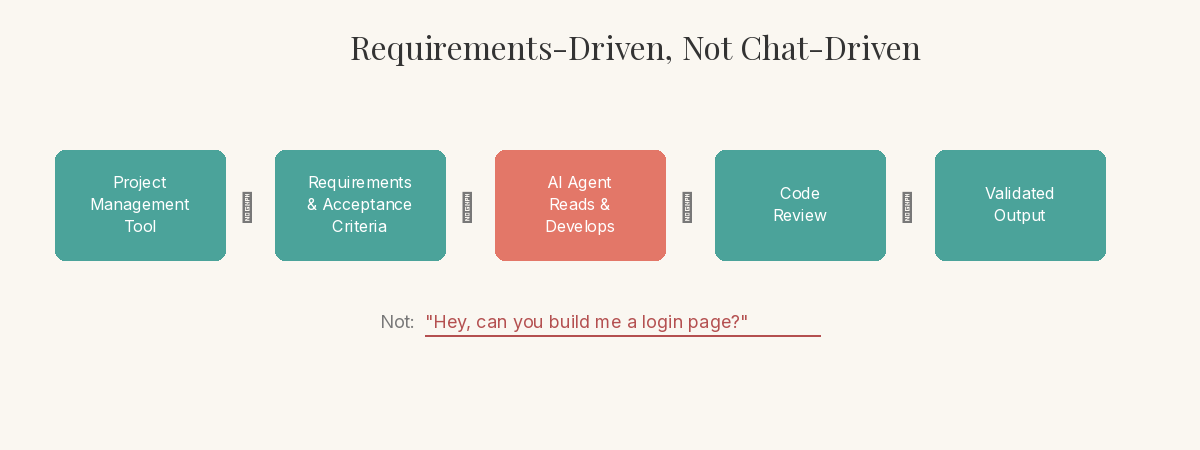
Once requirements exist, point the agent at them. Let it read the story, understand the acceptance criteria, and develop accordingly. This is fundamentally different from the chat-and-hope workflow. You're not guiding it through a conversation — you're managing it through a system. The agent pulls context from the requirements, not from your memory of what you asked for three prompts ago.
Close the Loop with the Same Rigour You'd Expect from Any Developer
Review the work. Run it against the acceptance criteria. Move the ticket through your workflow — in progress, testing, done. If it doesn't meet the bar, send it back with specific feedback, just like a code review. This closing discipline is what turns AI agents from a novelty into a reliable part of your engineering workflow. No ticket closes without the definition of done being met.
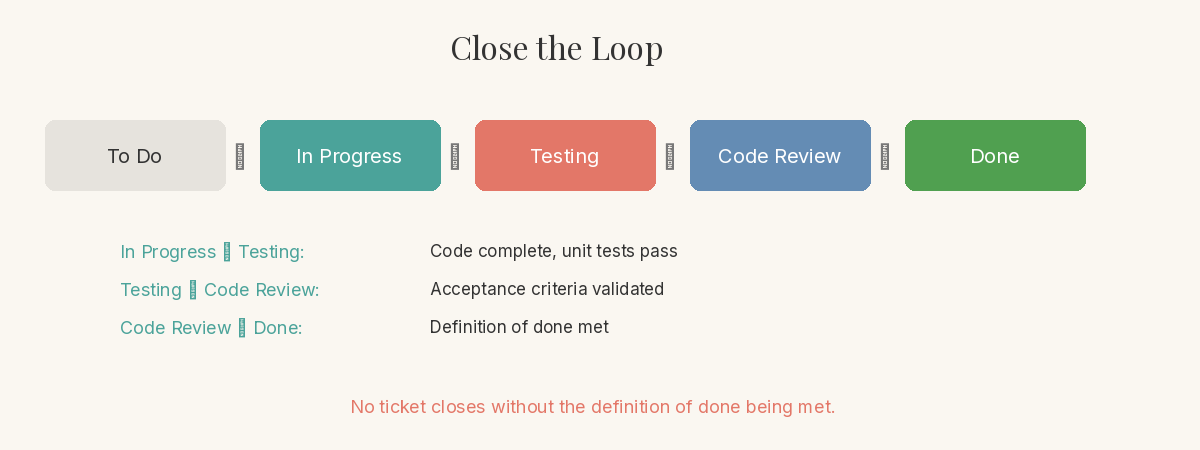
The shift isn't technological — it's managerial. The same practices that make human teams effective make AI agents effective. Requirements-first, tracked work, clear acceptance criteria, and a definition of done. The teams that figure this out first won't just move faster. They'll build better.
Enjoyed this? There's more every Friday.
One idea, five practical steps. Engineering leadership, architecture decisions, and AI tooling you can use today.
Join 100+ readers.
Subscribe — it's free